File formats
- 1 editable XLSX workbook
- PDF instructions, interview worksheet, drafting prompts, testing checklist, and worked example
Document one process and build from there
Document one recurring task so another person can follow it. Use the guided Excel workbook and PDF worksheets to capture the work, draft the procedure, test it, and name its owner.
Includes an Excel workbook, PDF instructions, process interview worksheet, SOP drafting prompts, testing checklist, and worked example.
Secure checkout and immediate delivery powered by Gumroad
30-day money-back guarantee. Try the files. If they aren't a fit, request a full refund.
Inside the download
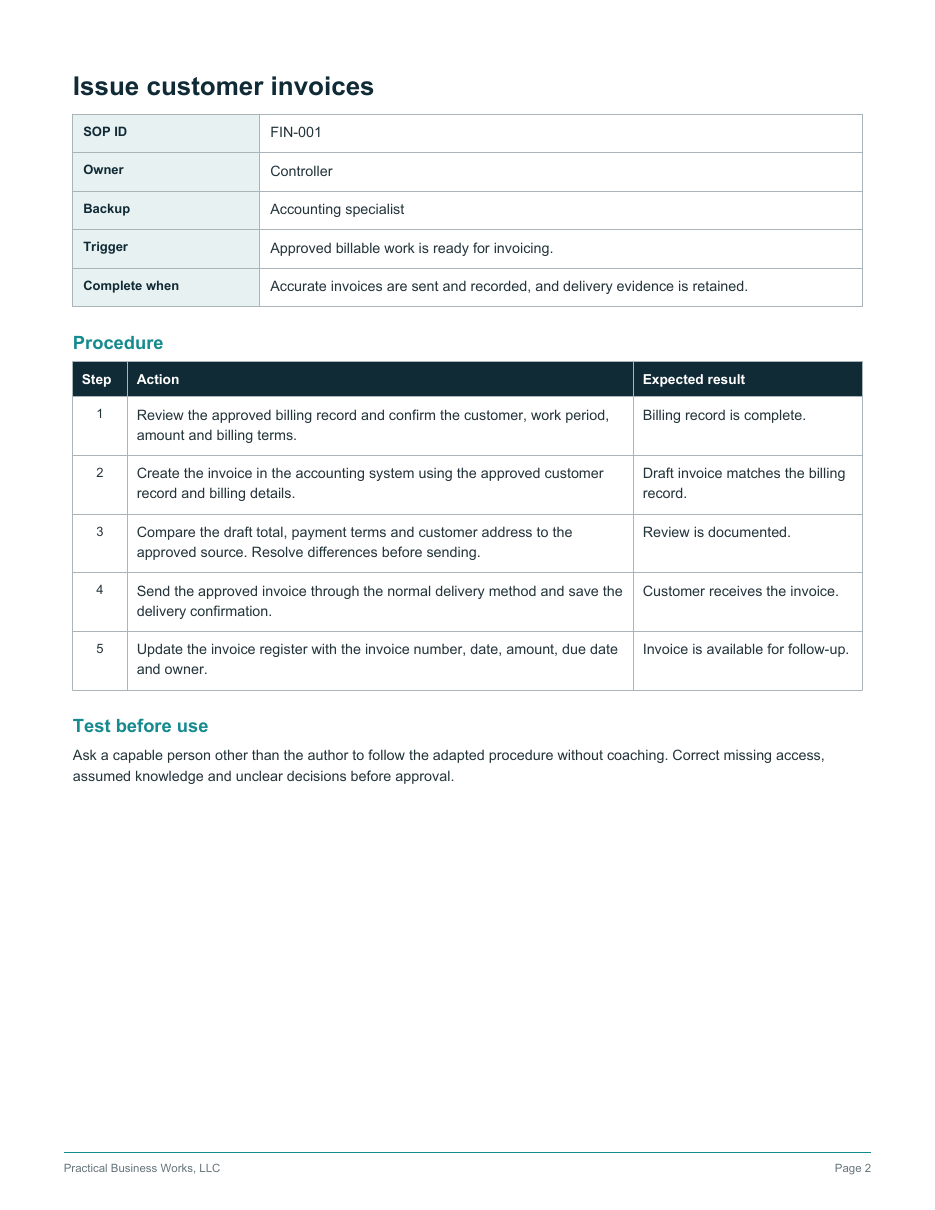
An illustrative invoicing SOP from the kit's PDF examples. Adapt it to your own roles, systems, and approval rules; the example isn’t a ready-approved procedure for your business.
Before you buy
Choose one recurring task, name its owner, define the trigger and expected result, and begin the guided process interview.
One tested SOP with a clear owner, purpose, trigger, prerequisites, numbered steps, decisions, exceptions, approvals, version, and review date.
Current edition reviewed November 2026. Product scope and limitations are listed below.
Who it’s for
Problems it solves
Use a guided process interview to capture what actually happens, including decisions, handoffs, tools, and exceptions.
Follow a practical sequence for choosing a process, gathering information, drafting the steps, and defining ownership.
Test the draft with another person and record the changes needed before approval.
Record the owner, approval, effective date, version, and next review so employees can identify the working document.
What is included
Check the file formats below and the software requirements in the FAQs.
How it works
Start with work that happens often, creates avoidable questions, or causes a noticeable problem when a step is missed.
Capture the trigger, expected result, roles, systems, approvals, decisions, exceptions, and handoffs.
Write the procedure in the order someone performs it, using specific instructions and enough context to make sound decisions.
Ask a qualified employee who did not write the SOP to follow it and identify gaps, ambiguity, or missing access.
Name the owner, record the working version, tell employees where it lives, and set a realistic review date.
When to use it
Frequently asked questions
The package uses an Excel workbook and PDF instructions, worksheets, and examples. It’s not a collection of editable Word documents. Use the drafting prompts to document a process, then test the instructions with the people who will use them.
No. The kit guides the user through selecting a process, interviewing the people involved, drafting the procedure, testing it, and recording approval and review information.
It’s intentionally focused on documenting one process well. You can reuse the method, but businesses building a larger library will benefit from the Professional Edition’s inventory, ownership, status, and review controls.
No. The instructions are written for small-business owners and managers. Complex, regulated, safety-sensitive, or technical procedures may still require qualified review.
Microsoft Excel or compatible spreadsheet software is required for the workbook, plus a current PDF reader for the guide, worksheets, and examples.
Related guides
Designed to document one process well. This isn’t a Word-template bundle or an automatic SOP-writing service.
These are general business resources. They don’t provide legal, insurance, cybersecurity or regulatory-compliance advice, or certify compliance.
Ready to document more than one process?
The Professional Edition adds a process inventory, prioritization, ownership, documentation status, review tracking, governance guidance, interview tools, and examples for a repeatable company-wide approach.
Practical Business Works, LLC